
Table of Contents
- How to Customize Coffee Subscription Orders: A Step-by-Step Walkthrough
- Selecting Roast Profiles, Flavor Notes, and Grind Size
- How to Pause Coffee Subscription Deliveries Without Canceling
- Setting Coffee Subscription Delivery Frequency Around Your Routine
- The Best Coffee Subscription for Hybrid Workers
- Automated vs. Manual Customization: Which Fits Your Workflow
- Last-Minute Changes, Order Deadlines, and Portal Troubleshooting
- Frequently Asked Questions
Last Updated: October 2, 2026
How to Customize Coffee Subscription Orders: A Step-by-Step Walkthrough
Learning how to customize coffee subscription orders takes about ten minutes and saves you from a year of coffee you didn't ask for. Your coffee subscription is not a fixed contract. Every roast, grind, and delivery date sits in your account waiting to be changed.
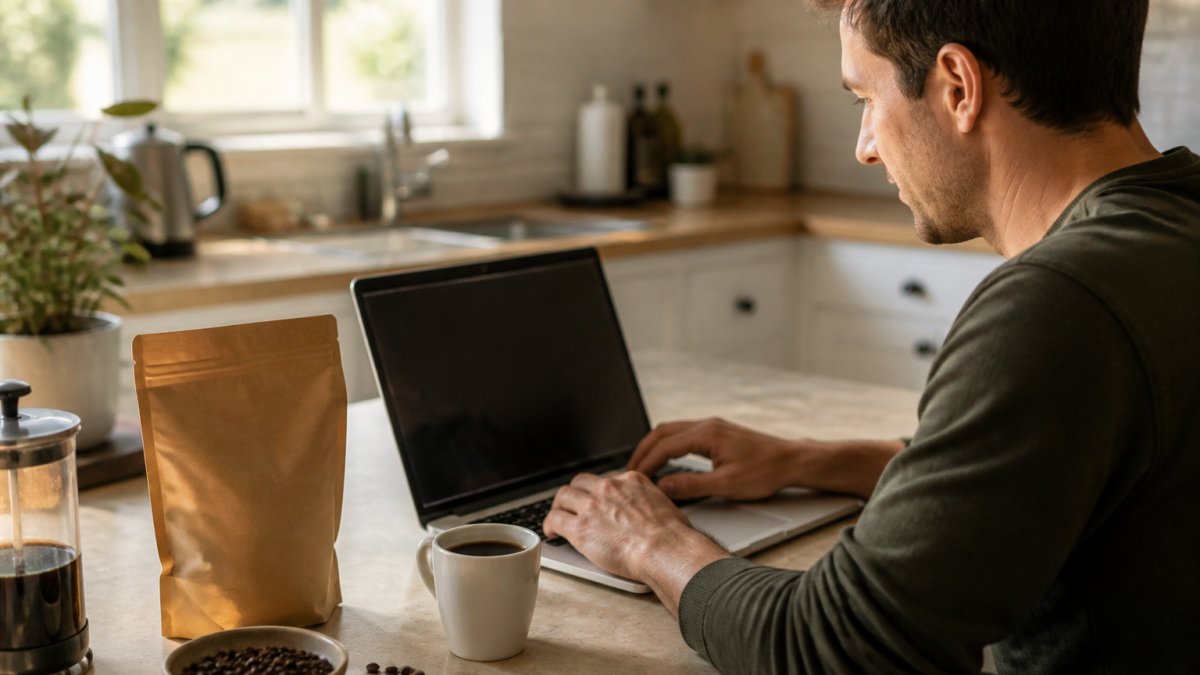
Most subscribers never open their account dashboard after signup. That's a mistake. A few clicks control your roast date, bag size, and shipping schedule.
Step 1: Log Into Your Account Dashboard
Your account dashboard is the control room for your subscription. Log in through the retailer's site, then look for a tab labeled Subscriptions, My Orders, or Account.
Once inside, you'll typically see:
- Your next shipment date and the coffee in it
- Buttons to skip, pause, or reschedule
- Your saved grind and roast preferences
- Payment and shipping details
If you can't find a setting, check the customer portal before emailing support. Most portals hide customization behind an "Edit" link next to the order.
Step 2: Choose Your Subscription Model and Coffee Preferences
Your subscription model decides how much control you keep. Most roasters offer two paths.
Automated model: The system picks your coffee and ships on a fixed cycle. You set a roast level and let it run.
Manual model: You choose every bag before it ships. More work, more control.
If you're new to a roaster, start automated for one cycle. Then switch to manual once you know which beans you like.
Not sure where to start? The Best Coffee Sampler Pack ($24.99) includes six 2oz packs spanning dark, medium, and single origin roasts. Taste all six, then set your subscription to the winner.

Selecting Roast Profiles, Flavor Notes, and Grind Size
Roast profile and grind size change your cup the most. Get them right and you'll rarely touch the dashboard again.
Roast profile sets the base flavor. Dark roasts bring cocoa and caramel. Medium roasts stay balanced and sweet.
Grind size must match your brew method:
- Espresso machine: fine grind
- Drip brewer: medium grind
- Pour-over: medium-fine
- French press: coarse grind
Whole bean is the safest choice if you own a grinder. Ground coffee stales faster once opened.
Flavor notes matter too. Single origin beans trace to one farm or region, so tasting notes stay distinct. Blends combine origins for a consistent, rounded cup.

How to Pause Coffee Subscription Deliveries Without Canceling
You can pause a coffee subscription at any time, and pausing beats canceling if you plan to return. Most portals offer two pause options that behave differently.
Skip a Single Delivery vs. Pause Indefinitely
Skip delivery pushes back one shipment. Your subscription stays active and resumes on the next cycle.
Pause subscription stops all shipments until you restart it. Nothing ships, nothing charges.
Which one fits?
- Traveling for two weeks? Skip one delivery.
- Overstocked after a sampler pack? Pause for a month.
- Cutting caffeine for a while? Pause indefinitely.
Check the cancellation policy before canceling outright. Many roasters let you restart a paused plan with your old preferences intact; a canceled plan often means starting over.
Setting Coffee Subscription Delivery Frequency Around Your Routine
Match your delivery frequency to how fast you actually drink coffee. A half-pound bag lasts most home drinkers about a week. A full pound lasts two.
Common delivery frequency options:
- Weekly, for heavy drinkers or two-person households
- Every two weeks, the most popular middle ground
- Monthly, for light drinkers
- Every six weeks, for occasional drinkers
Count your daily cups first. Two cups a day equals roughly one pound per week. Ordering more than you drink leaves stale beans on the shelf.
Best Coffee Sampler Packs: 2oz Coffee Sample Pack with 6Bean, Cowboy →
Bean origin and roast date both affect how long coffee stays fresh. According to guidance from the Specialty Coffee Association on freshness, coffee tastes best within a few weeks of its roast date. That's why roasted-to-order services ship faster than store shelves turn over.
The Best Coffee Subscription for Hybrid Workers
The best coffee subscription for hybrid workers ships flexibly, because office days and home days rarely follow the same pattern. A fixed monthly box fits a rigid schedule; a hybrid week doesn't have one, and your customization settings should reflect that split.
Set Up Two Brew Profiles, Not One
Hybrid workers usually run two coffee setups: one at home, one at the office. Saving a single grind preference and hoping it works in both is a mistake, a grind sized for a drip brewer will choke a French press and gush through an espresso basket.
What to do instead:
- Save a grind preference per brew method if your roaster's portal supports multiple profiles. Many do, look under a "Brew Preferences" or "Grind Profiles" tab, not the main subscription settings.
- Order whole bean and grind at each location if you own two grinders. This is the most flexible setup and the only one that lets you change brew methods without re-ordering.
- Split the bag if you can't store two setups. Order whole bean, keep a small hand grinder at the office, and grind fresh at both ends.
Match Frequency to Your Office Ratio, Not Your Calendar
A two-week cycle is the most common hybrid recommendation, but the right number depends on how many days you actually work away from home:
- One to two office days a week: a monthly cycle usually covers you, with a small bag reserved for home weekends.
- Three office days a week: a two-week cycle keeps both locations stocked without staling.
- Four to five office days a week: weekly or two-week delivery, and consider a second small subscription for the office so the two locations don't drain each other.
Count your daily cups first, two cups a day equals roughly one pound per week. Stale coffee at the office is the fastest way to abandon the habit.
Use Skips as Your Schedule Changes
The real customization win for hybrid workers isn't the plan you pick at signup, it's how you use skips and pauses as your week shifts:
- Skip a delivery when a heavy office week means you drank through your home supply faster than expected.
- Pause for a month when you're traveling or on a remote stretch.
- Swap a roast when you want a lighter bean for the office drip machine and a darker one for the home espresso setup.
Hybrid schedules also mean two coffee setups, and a sampler pack helps you stock both without committing to a full bag. The Flavored Coffee Sample Pack ($24.99) covers six medium roasts, from French vanilla to mocha, and the Single Origin Sample Pack ($24.99) spans six origins including Ethiopia and Colombia.

For most hybrid workers, the right setup is a two-week cycle with whole bean coffee, then a five-minute dashboard check before each ship date to skip, pause, or swap as the month demands.
Automated vs. Manual Customization: Which Fits Your Workflow
Automated and manual customization solve different problems. Pick based on how much you enjoy deciding.
| Approach | Setup Effort | Control Level | Best For |
|---|---|---|---|
| Automated | Low, set once | Roast and frequency only | Busy drinkers who want consistency |
| Manual | Medium, per order | Every bag, roast, and date | Tasters who want variety |
| Hybrid | Low, set once | Skips and swaps as needed | Most subscribers |
The hybrid approach wins for most people: set an automated cycle, then log in only to skip, swap, or pause.
This is where subscription fatigue creeps in. Auto-shipping without check-ins leads to full shelves and guilt. A five-minute dashboard review each month prevents it.
Last-Minute Changes, Order Deadlines, and Portal Troubleshooting
Every subscription runs on an order processing deadline, the single most important number in your account.
Most roasters lock orders 24 to 72 hours before the ship date. The reason is mechanical: roasted-to-order services batch green coffee orders, schedule roast days, and print labels in advance, so once your order enters that queue, beans, bags, and postage are already committed.
The Point of No Return: What Locks First, What Locks Last
Not every setting locks at the same time. A common pattern is a staggered cutoff:
- Skip or pause, usually the most forgiving. Many portals allow this until 24-48 hours before shipment, because stopping an order costs the roaster nothing.
- Swap the coffee, locks earlier, often 48-72 hours out, because the roaster has to pull specific beans from inventory and slot them into the roast schedule.
- Change grind, frequently the earliest lock, sometimes 72 hours or more, because grinding happens at the packing station and the bag is sealed to order.
- Change shipping address, locks when the label prints, which can be earlier than the roast date itself.
If you're inside the window and the portal won't let you edit, you haven't necessarily lost the order. Email or chat support with your order number and the exact change.
Why the Portal Won't Let You Change Your Order
"Why can't I change my order?" is one of the most common support tickets in subscription coffee. The answer is almost always one of five things:
- You're past the cutoff. The edit button greys out or disappears once the order enters processing. Check the order status label, "Processing" or "Locked" means you're too late for self-serve changes.
- The order is already fulfilled. Once it ships, the only option is a return or a credit, not an edit.
- You're editing the wrong object. Many portals show both a subscription and a one-time order. Changing the subscription won't touch an order that's already been generated from it. Look for the specific upcoming shipment, not the plan itself.
- Your payment method failed. A declined card can freeze the account in a read-only state until billing is updated. Fix the card first, then retry the edit.
- You're on a legacy or app-only plan. Some roasters only expose full customization in the web portal, not the mobile app. Log in on a desktop browser before assuming the feature doesn't exist.
Portal Troubleshooting That Actually Works
If a change won't save, work through these in order, from most common to least:
- Clear your browser cache or switch browsers. Stale session cookies are the top cause of a save button that does nothing.
- Log out and back in. This refreshes your session token and re-syncs your subscription state with the server.
- Disable ad blockers and privacy extensions on the checkout domain. Some block the scripts that power the edit modal.
- Try the web portal instead of the app (or vice versa). One interface often works when the other is buggy.
- Screenshot the error and the order number, then contact support before the cutoff. A timestamped screenshot proves you tried to change the order in time, which matters if a dispute ever comes up.
For sellers and anyone running a subscription store, Shopify's guide to subscription apps and recurring billing explains how recurring billing and shipping rules connect behind the scenes. On the buyer side, the Federal Trade Commission's rules on negative option marketing spell out what subscription sellers must disclose about recurring charges, including how and when you can cancel or modify before you're billed.
Frequently Asked Questions
Can I change my coffee subscription frequency?
Yes. Most coffee subscription services let you adjust delivery frequency directly from your account dashboard, usually choosing between weekly, biweekly, or monthly shipments. If you drink about half a pound a week, a biweekly or monthly schedule keeps beans from sitting too long. Look for the subscription management or order cycle setting, then pick the interval that matches your actual brewing pace.
Is it easy to pause or skip a coffee subscription delivery?
Skipping or pausing is typically a one-click action in your customer portal. You can skip a single delivery if you are traveling or still working through your current bag, or pause indefinitely until you are ready to resume. Check the order processing deadline on your account dashboard first, since most services lock changes 24 to 48 hours before the shipment date.
Can I customize the grind size for my coffee subscription?
Some subscriptions let you set grind size to match your brew method, whether that is drip, pour-over, French press, or espresso. If you grind at home, choose whole bean so the coffee stays fresher longer. If you want convenience, select the grind that matches your brewer. Getting this right matters more than most people think, since a mismatched grind throws off extraction and flavor.
How do I update my shipping address for a coffee subscription?
Log into your account dashboard and edit the shipping address under your subscription settings. Do this before the order processing deadline for your next shipment, otherwise the change may only apply to the following cycle. If your portal will not save the new address, clear your browser cache or contact customer support directly so your next delivery is not sent to the old location.